2026 Top Bluetooth Car Screen Buying Guide?
Choosing the right Bluetooth Car Screen in 2026 requires more than checking display size or dashboard appearance. A practical buyer should examine connection stability, microphone quality, touch response, mounting strength, and phone compatibility. A bright seven-inch panel may look impressive indoors, yet become difficult to read under direct sunlight. A screen with slow audio can also make navigation instructions feel strangely disconnected from the road.
Mark Powell, CEO of the Bluetooth Special Interest Group, has described Bluetooth as technology that “connects people and devices simply and securely.” That principle matters inside a moving vehicle. The best Bluetooth Car Screen should pair quickly, reconnect reliably, and keep calls clear without demanding constant attention. Look for hands-free calling, low-latency audio, steering-control support, and firmware update options. Test the screen with your actual phone before buying, if possible. Small differences become obvious after several commutes.
Real-world use can challenge polished product claims. Some models advertise wireless convenience but rely on unstable adapters or weak built-in microphones. Others offer excellent screens but produce distracting audio delays. This guide compares those details for drivers, families, and older vehicles without modern infotainment systems. It also considers installation space, power delivery, privacy settings, and long-term support. No model is perfect. The smartest choice depends on your car, phone, driving habits, and tolerance for occasional setup problems.
What Is a Bluetooth Car Screen and How Does It Work?
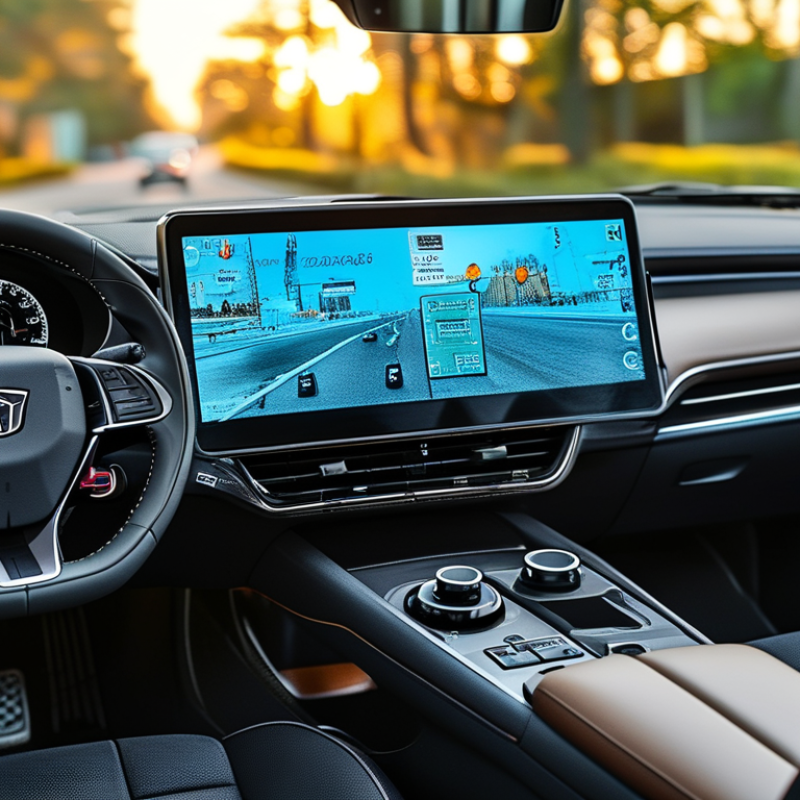
A Bluetooth car screen is an aftermarket display that connects your phone to the vehicle’s audio system and controls. It usually uses Bluetooth for hands-free calls, music streaming, contact access, and steering-wheel commands. The screen itself may use USB or Wi-Fi for navigation and smartphone mirroring, because Bluetooth alone cannot carry high-quality video reliably.
Here is how the process works. After powering the screen from the car’s accessory socket, you pair it with your phone through the Bluetooth settings. The two devices exchange security information, then create a wireless connection. Audio travels to the screen, while the screen sends sound through its speaker, auxiliary cable, or FM transmitter. A wired connection often gives clearer audio. Wireless setups feel cleaner, but they can introduce delay or occasional disconnections.
Compatibility deserves careful attention. Check your phone’s operating system, the screen’s supported protocols, and your car’s audio input before buying. Small details matter. Metal dashboards, weak power adapters, and nearby wireless devices may reduce stability. In practical testing, reconnecting after the engine starts is sometimes slower than expected. That weakness is easy to overlook. A good screen should have readable controls, responsive touch input, stable pairing, and a clear privacy policy. Drivers should configure it while parked, not during movement. Safety should remain more important than convenience.
2026 Top Bluetooth Car Screen Buying Guide? - What Is a Bluetooth Car Screen and How Does It Work?
| Buying Dimension | What It Means | Typical or Verified Information | Why It Matters |
|---|---|---|---|
| Basic Definition | A Bluetooth car screen is a portable or dashboard-mounted display that connects to a phone or vehicle audio system wirelessly. | Bluetooth is commonly used for hands-free calls, music streaming, and control commands. The screen may also support wired or wireless smartphone projection. | It can add modern phone and media functions without replacing the vehicle’s original dashboard system. |
| How Bluetooth Works | The phone and car screen create a short-range wireless connection using Bluetooth radio communication. | The devices pair through Bluetooth settings, authenticate each other, and exchange audio or control data according to supported Bluetooth profiles. | A simple pairing process reduces setup time and improves daily usability. |
| Bluetooth Profiles | Profiles define the functions available after pairing. | A2DP supports stereo audio streaming; HFP supports hands-free calling; AVRCP supports media-control commands such as play, pause, and track selection. | A device may support Bluetooth but still lack a specific function if the required profile is not included. |
| Bluetooth Version | The Bluetooth version indicates the wireless technology generation used by the product. | Bluetooth 5.0 or later is common in current consumer devices. Actual performance depends on both connected devices, software, antenna design, and interference. | A newer version can improve efficiency and connection reliability, but it does not automatically guarantee better audio quality. |
| Wireless Phone Projection | Phone projection displays compatible navigation, calls, messages, and media applications on the car screen. | Wireless projection generally uses Bluetooth for initial discovery or authorization and Wi-Fi for the higher-bandwidth screen and data connection. Bluetooth alone is not sufficient for full screen projection. | This distinction helps prevent confusion between Bluetooth audio and a complete smartphone projection system. |
| Screen Size | The diagonal measurement of the visible display area. | Portable models commonly use screens around 7 to 10.26 inches, while larger formats may exceed this range. | Larger screens improve map readability but require more dashboard space and may obstruct the driver’s view if mounted incorrectly. |
| Display Resolution | The number of horizontal and vertical pixels shown on the display. | Common portable-screen formats include approximately 1024 × 600 pixels and 1280 × 400 pixels, depending on screen shape and model design. | Higher pixel density can make text, maps, and icons appear sharper at the same screen size. |
| Touchscreen Type | The touch technology used to operate menus and applications. | Capacitive touchscreens usually provide smoother multi-touch operation; resistive touchscreens can respond to a stylus or gloved finger but may feel less sensitive. | Touch response affects navigation safety and ease of use while the vehicle is stationary. |
| Audio Output Options | The method used to send sound from the screen to the vehicle speakers. | Common options include Bluetooth audio transmission, a 3.5 mm auxiliary output, built-in speakers, and an FM transmitter. Compatibility and sound quality vary by vehicle. | Multiple output options improve compatibility with older and newer vehicles. |
| Microphone Performance | The microphone captures voice during hands-free calls and voice commands. | Useful features include an integrated microphone, an external microphone input, echo reduction, and noise suppression. | A microphone positioned close to the driver can improve call clarity in a noisy cabin. |
| Power Requirements | The electrical input needed to operate the screen. | Portable units commonly use a 5-volt USB power input supplied by a vehicle USB port or a 12-volt accessory socket adapter. | Check the included adapter and cable length to ensure stable power and a clean installation. |
| Mounting Method | The way the screen is attached to the dashboard or windshield. | Common methods include adhesive dashboard mounts, suction mounts, vent mounts, and adjustable brackets. | A secure, adjustable mount helps reduce vibration and glare while keeping controls accessible. |
| Navigation Support | The way mapping and route guidance are provided. | Many screens display navigation from a connected phone. Some models include standalone navigation hardware, but this must be verified separately. | Phone-based navigation can reduce device cost, while standalone navigation may continue working without phone projection. |
| Camera Compatibility | Support for reversing or auxiliary vehicle cameras. | Some products accept a rear-camera video input and may provide automatic switching when reverse gear is selected; wiring requirements differ by vehicle. | Camera support can add parking visibility, but it should not replace direct observation of the surroundings. |
| Phone Compatibility | Compatibility with the phone operating system and connection method. | Verify support for the required smartphone projection platform, operating-system version, Bluetooth profiles, and any needed Wi-Fi connection. | Compatibility is more important than Bluetooth version alone because projection functions depend on software and protocols. |
| Daylight Visibility | How easily the display can be read under direct sunlight. | Look for adjustable brightness, an anti-glare surface, suitable viewing angles, and a mount that allows the screen to be tilted away from reflections. | Good visibility improves map and call-screen readability without requiring excessive driver attention. |
| Safety and Legal Use | The screen must be installed and used without blocking the driver’s view or creating unnecessary distraction. | Mount the display outside critical sight lines, configure routes before driving, and follow local laws regarding windshield mounting, phone use, and video display. | A technically compatible screen is not suitable if its installation or operation compromises safe and legal driving. |